Where to enter the 1xBet promo code when signing up so your first deposit bonus applies
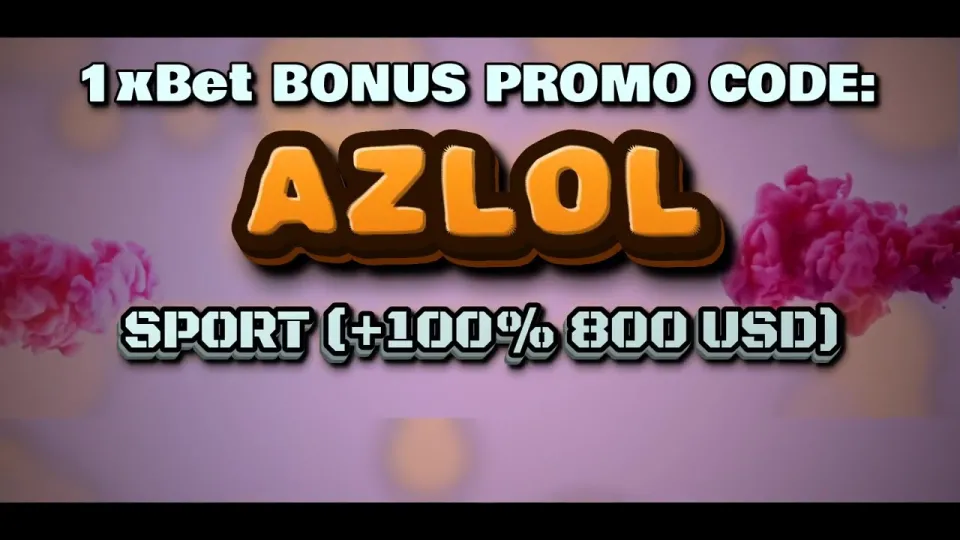
Video: Where do you actually enter the 1xBet promo code when signing up
· based on the channel Klangmomente
The 1xBet promo code goes into a single field on the registration form itself, not on the deposit page: open the registration window, choose your sign-up method, and type the code into the box labelled "Promo code" before you confirm the account. If you register through the 1xBet registration page and enter AZLOL, the +100% first deposit bonus of up to $800 is attached to your new account under the promotion rules.
Where the promo code field appears on the 1xBet registration form
The field is part of the one-page registration form, so it is visible only while you are creating the account and disappears once the account exists. On the desktop site the form opens in a panel on the right side of the screen, with the sign-up method tabs at the top (one-click, phone, email, social networks). Below the country, currency and name fields you get the password and password confirmation boxes, and the promo code input sits in that same block, usually just above the checkbox confirming you are 18+ and accept the terms. On the mobile app the form is a full screen, so the code box lands lower down and is easy to scroll past if you are filling the form quickly.
Two practical details matter here:
- The box is optional, so the form submits fine with it empty. Nothing warns you afterwards that you skipped it.
- It is a text field, not a dropdown, so you paste or type the code exactly as given — AZLOL — with no spaces before or after.
If you are using the phone method, the field appears after you request the SMS code but before you confirm it; with the email method it appears together with the password fields. In the one-click mode the system generates the login and password for you, and the promo code field is still shown in the same block.
Step-by-step: entering the code during sign-up
Entering the code takes four actions, and the order matters because the bonus is linked to the account at creation, not added later. The sequence below works the same way on the website and in the app:
- Open the 1xBet registration form through the link provided in the video breakdown and pick a sign-up method.
- Fill in the country, currency and the personal details the form asks for. Choose the currency carefully — it cannot be changed after registration, and the bonus is credited in it.
- Find the field labelled "Promo code" (in some layouts "Enter promo code") and type AZLOL. Check that no autocomplete suggestion has replaced it.
- Complete the password fields, tick the 18+ confirmation, and submit. Then make your first deposit from the cashier.
The +100% bonus is calculated on that first deposit and credited under the promotion rules, so the deposit amount determines the actual figure up to the $800 cap. A deposit made before registration, or one made on an account created without the code, does not retroactively receive the offer.
Typical problems viewers run into with the promo code box
The most common complaint is that the field simply was not noticed, because the form is long and the code input looks like one more optional line. Before submitting, scan the whole form once from top to bottom — the box sits in the lower half, near the password and terms block.
Other recurring issues and their fixes:
- The code is rejected as invalid. This is almost always a typo or a stray space. Type AZLOL in capitals manually rather than pasting from a chat app that may carry hidden characters.
- The field does not appear at all. Switch the sign-up method tab (for example from one-click to email) and the full form, including the promo code input, will load. Clearing the browser cache or opening the desktop version in the mobile browser also helps.
- The account was already created without the code. There is no promo field on the deposit page, so the code cannot be attached afterwards; a new account is the only route to the welcome offer.
- The bonus did not show up after the deposit. Check the cashier's bonus section and the promotion terms — some payment methods are excluded from welcome offers, and the bonus may need to be activated in your account settings.
What the AZLOL code gives you and what the rules say
AZLOL is a welcome code for new customers: it adds +100% to the first deposit, capped at $800, and the bonus funds are credited under the promotion rules published on the site. The percentage is fixed, but the amount depends entirely on how much you deposit first — a small deposit produces a small bonus, and the cap only matters for large ones.
Before you deposit, read the terms that come with the offer: they define the minimum qualifying deposit, which payment methods count, how the bonus funds can be used, and what wagering requirement applies before any winnings from the bonus can be withdrawn. Bonus funds are not withdrawable cash on arrival; they become usable balance only after the conditions are met. Nothing about the offer changes the underlying odds or guarantees a profit, and betting remains a risk for adults 18+.
The link from the video and how to use it
The registration link shown in the breakdown leads straight to the 1xBet sign-up page: https://surli.cc/1x_pro. Opening it puts you on the form where the promo code field lives, which removes the usual hunt through the site menu. Use the same link on mobile if you want the browser version rather than the app, and keep the code AZLOL ready in your notes so you can paste it into the field in one go.
Summary
The promo code on 1xBet lives on the registration form itself, in the block with the password fields, and it has to be filled before the account is confirmed — there is no second chance on the deposit screen. Type AZLOL there, complete the registration, then make your first deposit to receive the +100% bonus up to $800 under the promotion rules. The step-by-step walkthrough and the field-location tips above come from the Klangmomente video breakdown, which is worth watching if you want to see the form layout before you start. If you are ready, open the 1xBet sign-up page with the promo code and enter AZLOL while the form is still open. Bet responsibly, 18+.
Key takeaways
- The promo code box sits on the 1xBet registration form itself, between the personal details and the password fields, and is easy to scroll past.
- The code AZLOL unlocks a +100% first deposit bonus of up to $800 under the promotion rules.
- The code must be entered before the account is created; there is no separate promo field on the deposit page.
- The bonus is calculated on the deposit amount, so the full terms on the website decide the final figure.
- You must be 18+ and betting involves risk; the offer is not a guarantee of winnings.
Source: Where do you actually enter the 1xBet promo code when signing up · Markdown version
Questions & answers
Can I enter the 1xBet promo code after I have already registered?
No. The promo code field exists only on the registration form, and there is no promo input on the deposit page or in the account settings. Once the account is confirmed without a code, the welcome offer cannot be attached to it, so the code has to be typed before you submit the form.
Why can't I see the promo code field on the 1xBet registration screen?
The field is part of the full registration form, so it may be hidden if you are in a shortened sign-up mode or the page loaded partially. Switch the sign-up method tab, for example from one-click to email or phone, refresh the page, or open the desktop version in your mobile browser — the promo code input then appears in the block with the password fields.
Does the +100% bonus depend on how much I deposit first?
Yes. The code gives +100% on the first deposit up to a maximum of $800, so the actual bonus is calculated from your deposit amount. The minimum qualifying deposit, the payment methods that count and the wagering conditions are set out in the promotion rules on the 1xBet website and should be read before you deposit.
Is the promo code case-sensitive and can I paste it?
Type the code AZLOL in capitals, exactly as given. Pasting works, but text copied from a chat or notes app can carry a trailing space or hidden character that makes the code fail validation, so check the field content before submitting the form.